


*tutorial* give your car the "coloring book" effect

Thread Starter
4th Gear Member
Joined: Jan 2007
Posts: 1,344
From: a parallel universe
 *tutorial* give your car the "coloring book" effect
This photoshop is a little more advanced and take a lot of time (takes me roughly 2-3 hours to crank one out) and pressision. If at first it doesn't look good, then keep practicing, the details take much time to master, anyway:
step 1: Begin with a large picture (the bigger the better, makes it easier to do) and open it in photoshop (i'm using 7.0, it will work with the others)
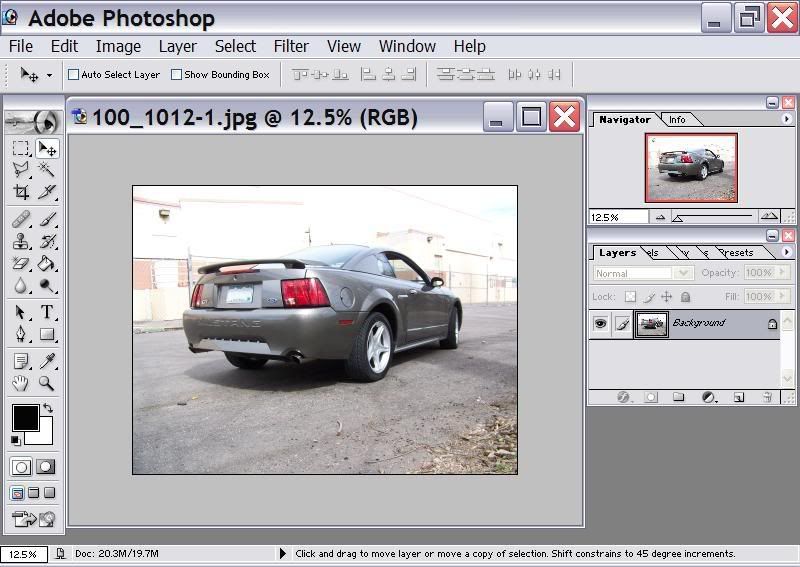
step 2: create a new layer and fill it in with white
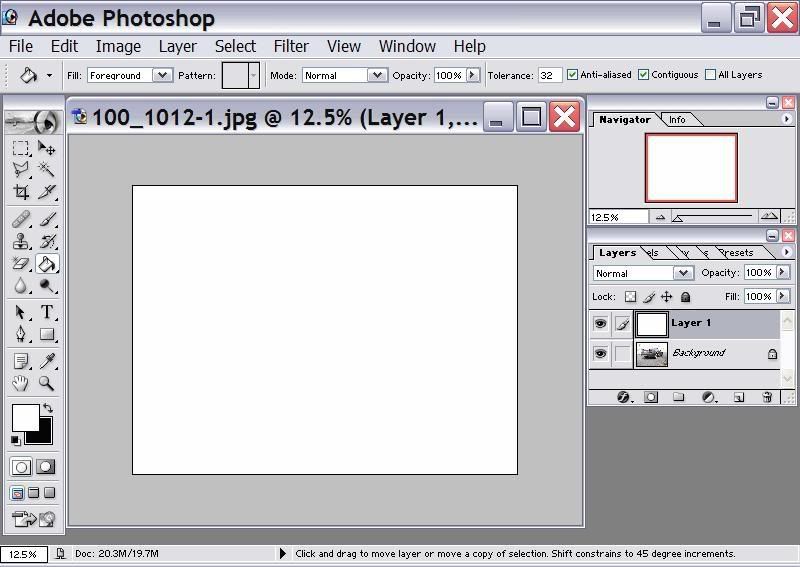
step 3: duplicate the background and put it on top of the white layer
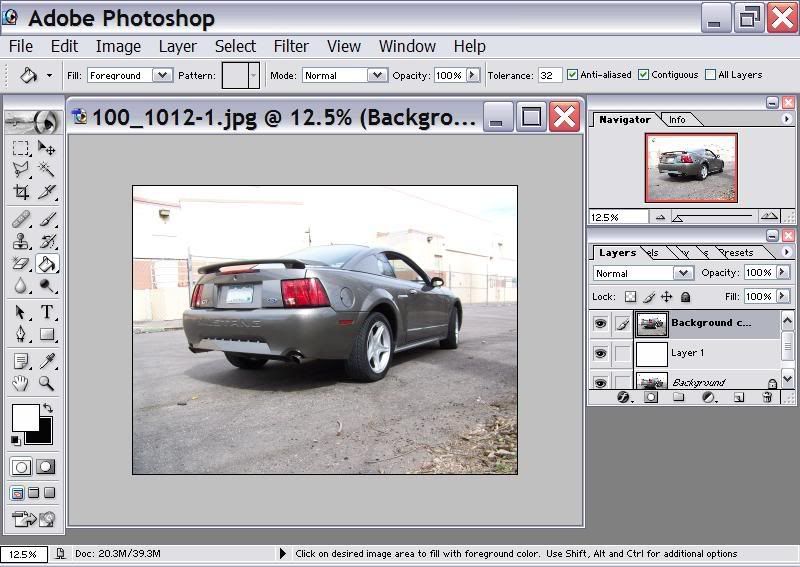
step 4: set the opacity of the "duplicate background" to 35%
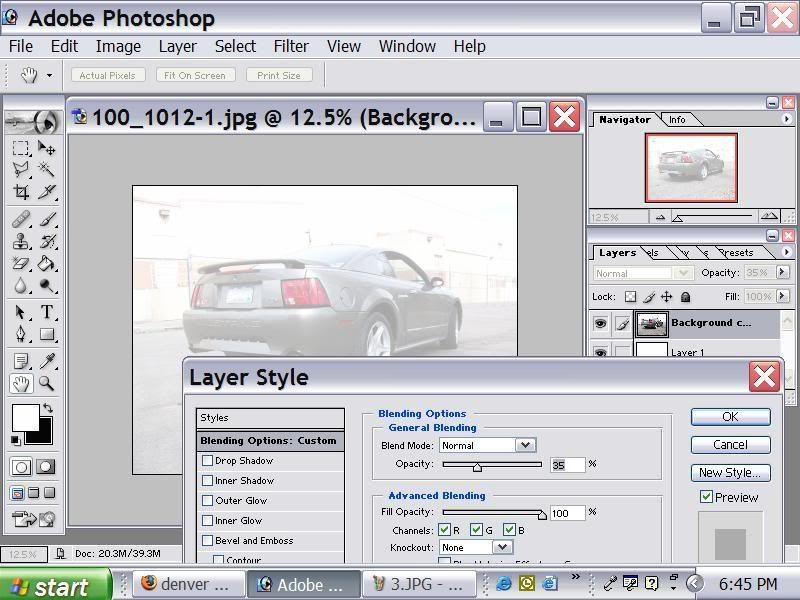
step 5: create a new layer, choose the paint brush tool, and set the size of the brush to 3px
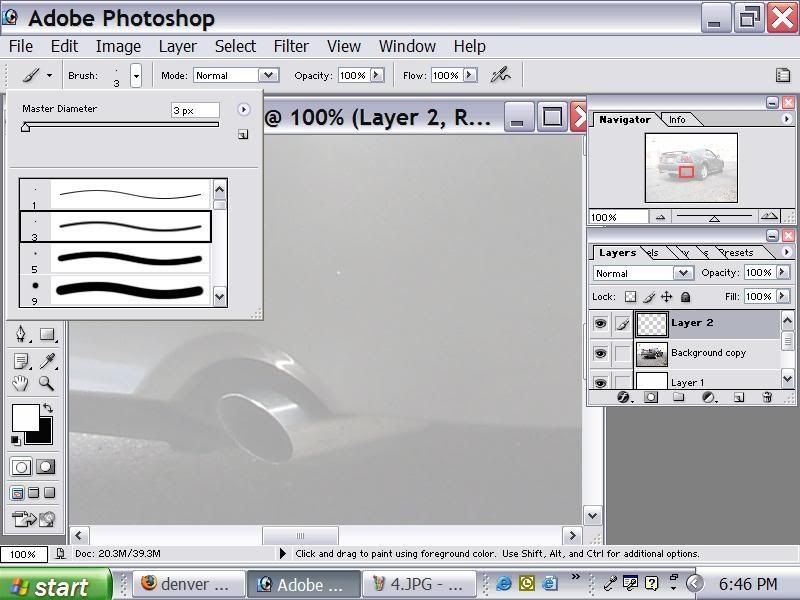
step 6: outline the entire body (only the outline) and wheels
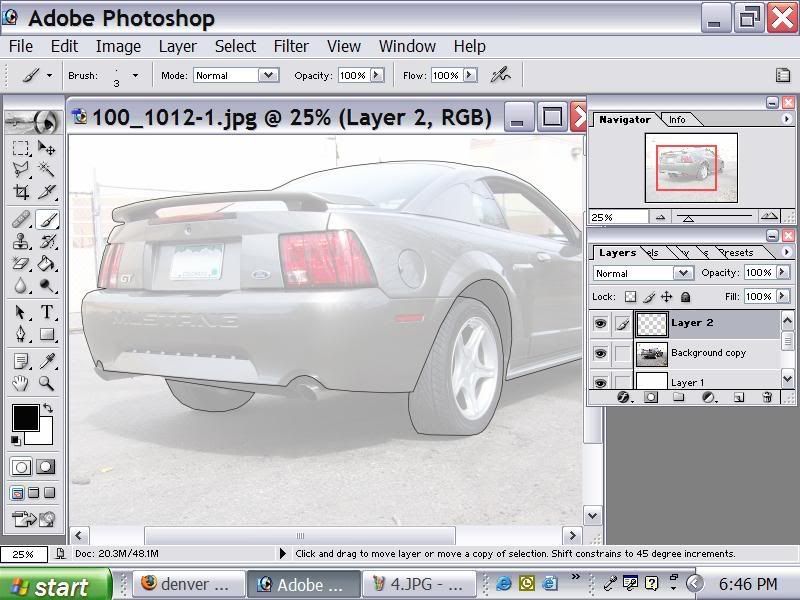
step 7: create another new layer, now set the size of the brush to 2px
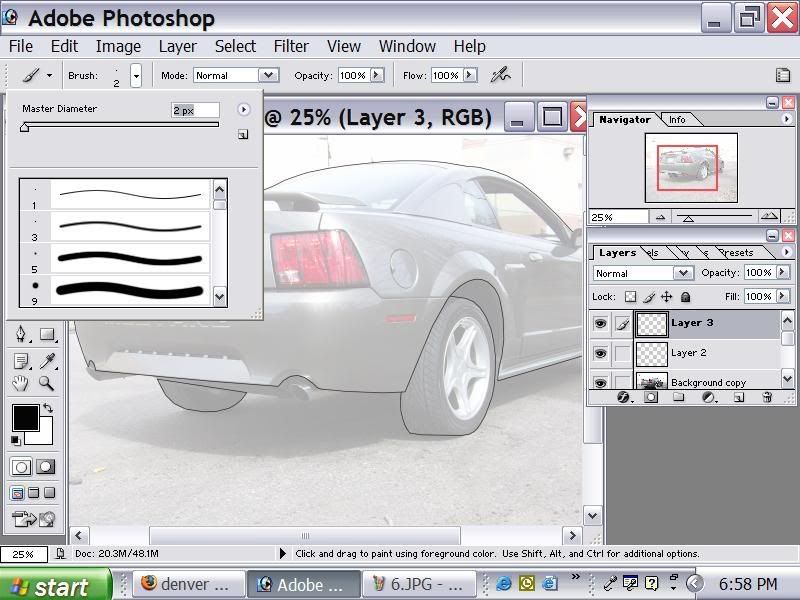
step 8: in the new layer outline major details such as windows and mirrors and lights
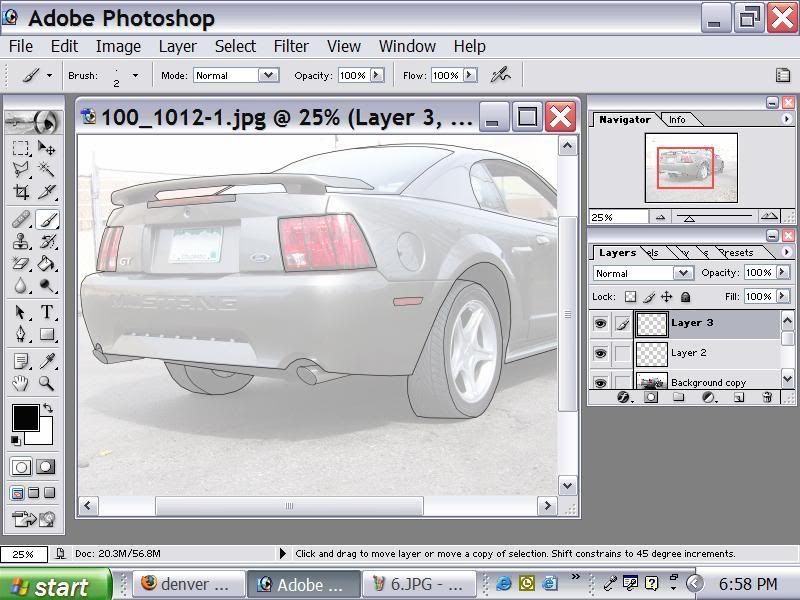
step 9: now create one last layer and set the size of the brush to 1px
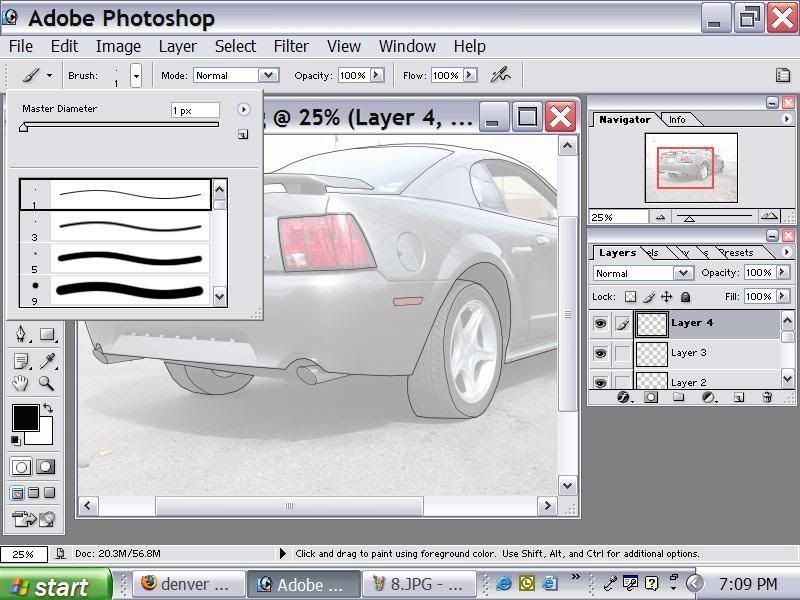
step 10: the funnest part, out line every little detail in this layer. Things like emblems, all the body lines, light details, everything (don't forget the wheels and any part of the undercarrige sticking out)
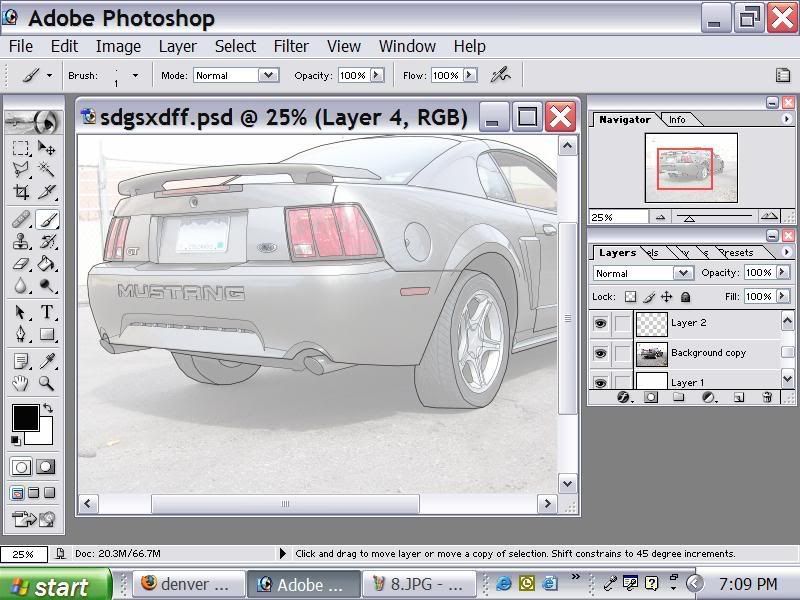
step 11: hide the "duplicate background, and when you think it looks good you can delete the "duplicate background layer. Now show everything but the background and merge the visible layers.
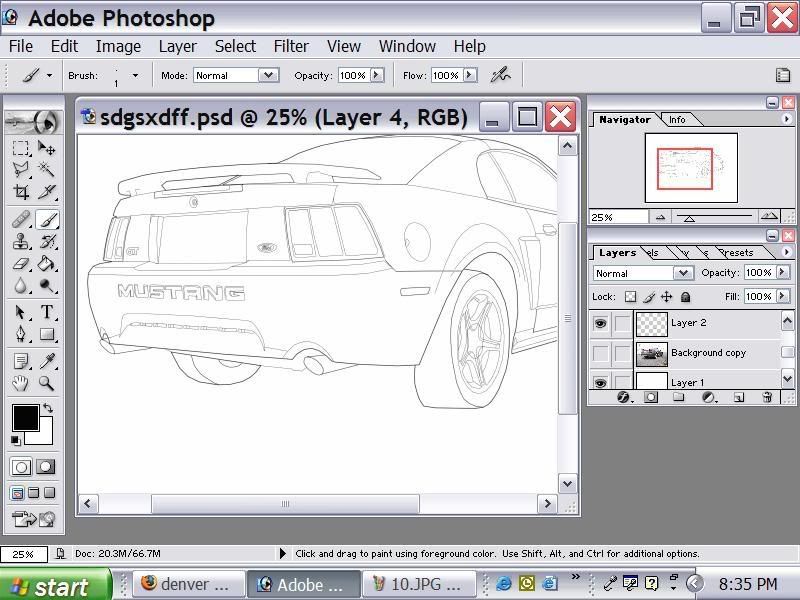
step 12: using the paint bucket tool, fill in the tires, any "holes" (like the spaces between the wheels) and any of the undercarrige
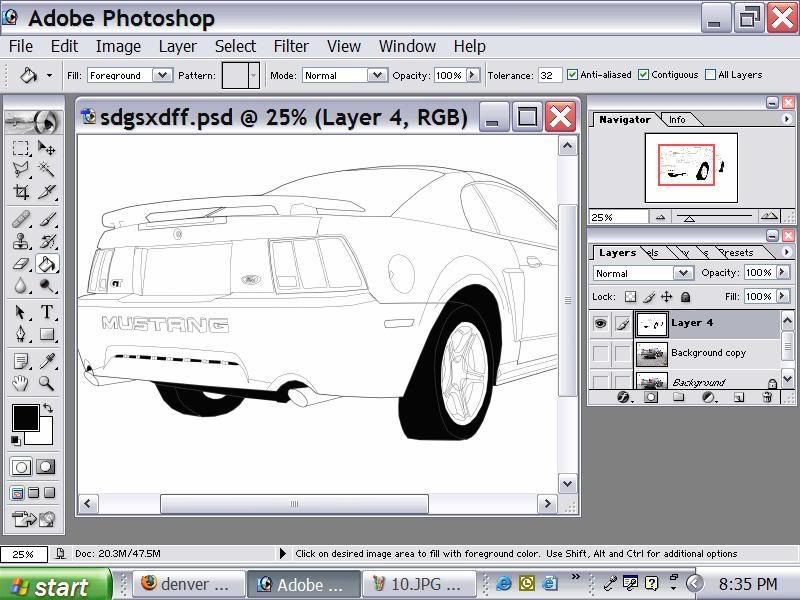
now you can save it and enjoy
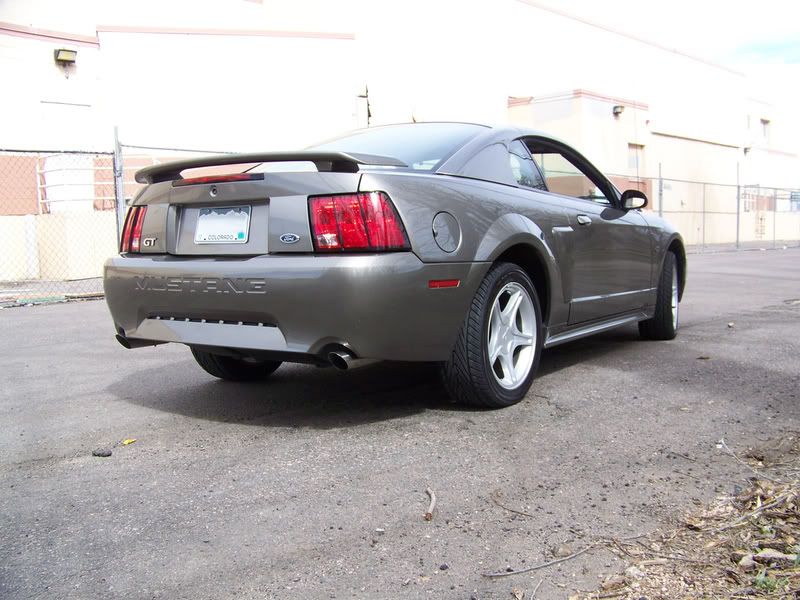
if done correctly you will go from this....
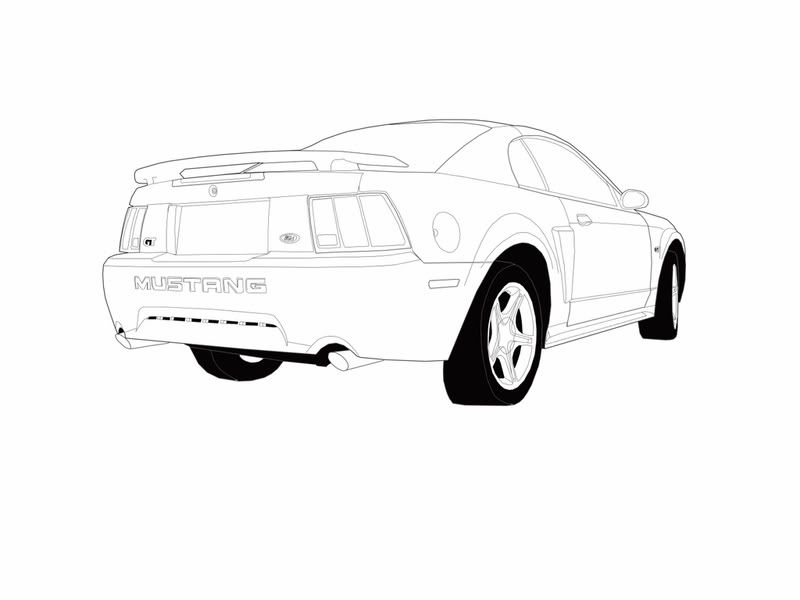
.... to this
step 1: Begin with a large picture (the bigger the better, makes it easier to do) and open it in photoshop (i'm using 7.0, it will work with the others)
step 2: create a new layer and fill it in with white
step 3: duplicate the background and put it on top of the white layer
step 4: set the opacity of the "duplicate background" to 35%
step 5: create a new layer, choose the paint brush tool, and set the size of the brush to 3px
step 6: outline the entire body (only the outline) and wheels
step 7: create another new layer, now set the size of the brush to 2px
step 8: in the new layer outline major details such as windows and mirrors and lights
step 9: now create one last layer and set the size of the brush to 1px
step 10: the funnest part, out line every little detail in this layer. Things like emblems, all the body lines, light details, everything (don't forget the wheels and any part of the undercarrige sticking out)
step 11: hide the "duplicate background, and when you think it looks good you can delete the "duplicate background layer. Now show everything but the background and merge the visible layers.
step 12: using the paint bucket tool, fill in the tires, any "holes" (like the spaces between the wheels) and any of the undercarrige
now you can save it and enjoy
if done correctly you will go from this....
.... to this

Thread Starter
4th Gear Member
Joined: Jan 2007
Posts: 1,344
From: a parallel universe
RE: *tutorial* give your car the "coloring book" effect
ORIGINAL: 2k1gt
Good write up. I have tried it a few times in the past but could never keep my lines strait.
Good write up. I have tried it a few times in the past but could never keep my lines strait.


5th Gear Member
Joined: Jun 2005
Posts: 3,315
From: San Diego, CA
RE: *tutorial* give your car the "coloring book" effect
I do mine in Macromedia Flash, been doing it for years
heres Ops car =P
i color em in, which takes another 1-2 hours [:@]
http://img.photobucket.com/albums/v2...EK234/02GT.swf
doesnt work with img tags >_<
heres Ops car =P
i color em in, which takes another 1-2 hours [:@]
http://img.photobucket.com/albums/v2...EK234/02GT.swf
doesnt work with img tags >_<


Thread Starter
4th Gear Member
Joined: Jan 2007
Posts: 1,344
From: a parallel universe
RE: *tutorial* give your car the "coloring book" effect
ORIGINAL: Joolander
nice schematic style, if a little intensive
looks great though
I might do a write up on a "concept drawing" style, like in my sig
nice schematic style, if a little intensive
looks great though
I might do a write up on a "concept drawing" style, like in my sig

Thread
Thread Starter
Forum
Replies
Last Post
ShaneB26154
4.6L (1996-2004 Modular) Mustang
35
Mar 4, 2021 04:05 AM
xbmx89
Texas Regional Chapter
1
Nov 10, 2015 10:43 PM
92 5.0stang
5.0L (1979-1995) Mustang
4
Aug 13, 2015 06:46 AM
Milan Dragway
Members Rides and Car Show Section
0
Aug 12, 2015 03:43 PM
