


Photoshop help!! i need your skillz


2nd Gear Member
Joined: Jan 2009
Posts: 307
From: NC

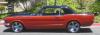
the first two came out really good! i'll have to play with that brush some.
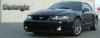
there is something off about the bottom two that puts them into the uncanny valley. I'm not sure what it is though. probably something to do with the reflections and hues or a little too monochromatic to look natural.
they definitely look better than what I did though.
there is something off about the bottom two that puts them into the uncanny valley. I'm not sure what it is though. probably something to do with the reflections and hues or a little too monochromatic to look natural.
they definitely look better than what I did though.

5th Gear Member
Joined: Mar 2005
Posts: 3,566
From: Marquette Mi
If you have a pic with a higher dpi you can change colors another way. Its the fun thing about PhotShop, you can get there a bunch of different ways. Whatever works best for what you are trying to do instead of only one way to get there.
Just goofing with the Cougar I selected the front half so it would only change colors in that area.

Then under the Image tab, Adjustments, replace color.

Click the eye dropper anywhere on the color you want to change and you get a small view of it in the window.

Hold shift and click the colors that dont change with the first one.

If you get colors inside the selection box changing that you dont want changed, use the History brush to revert them. If you have already made changes to that part the history brush will take it all the way back to the original pic, so be aware of that.
Smaller or low resolution pics will come out pixelated with large blocks that dont quite look right, you can use the blur tool, the smudge tool, or increase the pixels per inch to fix it. If that is the case you can try it the other ways you guys are doing it.
Just goofing with the Cougar I selected the front half so it would only change colors in that area.
Then under the Image tab, Adjustments, replace color.
Click the eye dropper anywhere on the color you want to change and you get a small view of it in the window.
Hold shift and click the colors that dont change with the first one.
If you get colors inside the selection box changing that you dont want changed, use the History brush to revert them. If you have already made changes to that part the history brush will take it all the way back to the original pic, so be aware of that.
Smaller or low resolution pics will come out pixelated with large blocks that dont quite look right, you can use the blur tool, the smudge tool, or increase the pixels per inch to fix it. If that is the case you can try it the other ways you guys are doing it.
4th Gear Member
Joined: Jun 2006
Posts: 1,246
From: Upland, California

2nd Gear Member
Joined: Jul 2008
Posts: 230
From:
I like your color choices. Especially the red pinstripe on the racing stripes.
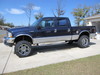
EZ, I think your car would look badass with that green. If you were to do it, I would do a silver or an orange pinstripe between the black and green.
EZ, I think your car would look badass with that green. If you were to do it, I would do a silver or an orange pinstripe between the black and green.


Thread
Thread Starter
Forum
Replies
Last Post
