Forum Issues and Feedback Discuss any issues you are having with using Mustang Forums here.

signature

Thread Tools
 
Search this Thread
 
Old Aug 17, 2008 | 04:23 PM
  #1  
jmdgto's Avatar
jmdgto
Thread Starter
3rd Gear Member
 
Joined: Feb 2008
Posts: 585
From:
Default signature

i cannot upload pictures to my sig. i tried to do what the other post said to do. it did not work. i tried 4 times.
Old Aug 17, 2008 | 04:30 PM
  #2  
2k1gt's Avatar
2k1gt
5th Gear Member
 
Joined: Mar 2004
Posts: 3,733
From: Athens, Georgia
Default

first things first. Go to your "User CP" and click on "edit options"

Go all the way to the bottom where is says Miscellaneous Option. Change it to Enhanced Interface and click save changes.

Next upload your picture at some site like photobucket or imageshack. Once it is uploaded find the "direct link". Copy that link.

Once you have done that go to edit signature. Find the yellow "insert image" button and paste your direct link into the pop-up like below.


Old Aug 18, 2008 | 06:53 AM
  #3  
jmdgto's Avatar
jmdgto
Thread Starter
3rd Gear Member
 
Joined: Feb 2008
Posts: 585
From:
Default

tks for the info. but why don't the adminstrator just fix the problem?
Old Aug 18, 2008 | 09:27 AM
  #4  
99GTvert's Avatar
99GTvert
is my username.
 
Joined: May 2006
Posts: 13,808
From: Earth
Default

Because they are out to get you!! :d
Old Aug 18, 2008 | 10:38 AM
  #5  
2k1gt's Avatar
2k1gt
5th Gear Member
 
Joined: Mar 2004
Posts: 3,733
From: Athens, Georgia
Default

Originally Posted by jmdgto
tks for the info. but why don't the adminstrator just fix the problem?
There is no problem. That's just how you add a signature.
Old Aug 18, 2008 | 11:15 AM
  #6  
jmdgto's Avatar
jmdgto
Thread Starter
3rd Gear Member
 
Joined: Feb 2008
Posts: 585
From:
Default

tks for the help. i will do that.
Old Jul 5, 2011 | 08:26 AM
  #7  
MAXIMUS-GT's Avatar
MAXIMUS-GT
2nd Gear Member
 
Joined: Jul 2011
Posts: 251
From: Ohio
Default

Is there any way to add a picture from Face Book (I tried copy/paste the Image URL but it isn't working) in stead of using Photo Bucket etc, so I don't have to create a new account? Thanks!
Old Jul 7, 2011 | 10:19 AM
  #8  
MeanStang08's Avatar
MeanStang08
ChopShop Mod-tator
 
Joined: Mar 2008
Posts: 2,147
From: Kaintucke
Default

Originally Posted by MAXIMUS-GT
Is there any way to add a picture from Face Book (I tried copy/paste the Image URL but it isn't working) in stead of using Photo Bucket etc, so I don't have to create a new account? Thanks!
you have to right-click on the picture, go to properites, get the full URL name of the picture.. highlight it, copy it then paste IMG code it in here..

[IMG] http://a5.sphotos.ak.fbcdn.net/hphot..._5860219_n.jpg [/IMG]

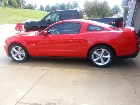
this is my facebook pic..


Last edited by MeanStang08; Jul 7, 2011 at 10:24 AM.
Old Jul 9, 2011 | 09:59 PM
  #9  
Silver0911's Avatar
Silver0911
1st Gear Member
 
Joined: Jan 2011
Posts: 121
From: Midwest
Default

Lol nice job MeanStang.
Old Jul 10, 2011 | 07:41 AM
  #10  
28HopUp's Avatar
28HopUp
MF Administrator
 
Joined: May 2005
Posts: 8,193
From: South Carolina
Default

I'm talking about PC's (not Mac). You can also position the desired picture on your monitor and press the PRINT SCREEN button on your keyboard. Then open up MS Paint, hit PASTE, and save it as a JPG file. You will have to crop it down to get rid of the side clutter, but this method is ideal if you want to save a protected picture like you'd find in Ebay listings but cannot 'right-click' it.


All times are GMT -5. The time now is 12:24 PM.