


Signature pic



'Dr. X'
Joined: Apr 2008
Posts: 4,388
From: Toto's Kansas

^^ here are a few options for ya:
1) there are some photo uploading sites that will let you edit the pic, alter its size, and allow you to host your pic for other websites (i.e. if you want to use the same pic on other forums or something).
2) you can download (or buy) a photo editing program; edit yourself, then use a photo hosting site to upload your pics.
3) you can visit the chop shop section and request a sig or pic resize, one of us choppers will alter it for ya, then you can use the photo hosting site to upload your pics.
regardless, whatever you decide, it's best to use a photo hosting site (like photobucket or imageshack) to upload your pics. they are pretty straight forward to use, too. photobucket already includes the image code that our forum uses to view pics, and i believe they now offer photo editing.
1) there are some photo uploading sites that will let you edit the pic, alter its size, and allow you to host your pic for other websites (i.e. if you want to use the same pic on other forums or something).
2) you can download (or buy) a photo editing program; edit yourself, then use a photo hosting site to upload your pics.
3) you can visit the chop shop section and request a sig or pic resize, one of us choppers will alter it for ya, then you can use the photo hosting site to upload your pics.
regardless, whatever you decide, it's best to use a photo hosting site (like photobucket or imageshack) to upload your pics. they are pretty straight forward to use, too. photobucket already includes the image code that our forum uses to view pics, and i believe they now offer photo editing.

2nd Gear Member
Joined: Jun 2009
Posts: 324
From: Iowa
okay, bare with me. I downloaded a pic onto photobucket. I then downsized it to the proper size and saved it. I cannot figure out how to get it to MF now. How do you download it? I copy and pasted the link in the signature section, but all I get is a bunch of computer jargon, no photo. How the heck do I transfer photos from photobucket to MF? I wanna post some pics and make a signature, but obviously I am not smart enough to figure it out.
'Dr. X'
Joined: Apr 2008
Posts: 4,388
From: Toto's Kansas
it looks like you don't have the image code embedded: the image code is [img] then the url to the pic [/img]
you need to have the [img] [/img] at the beginning and end for it to work, like so:
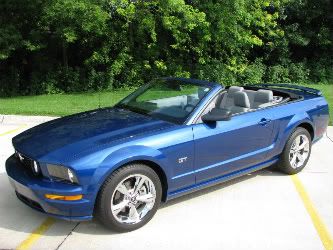
with photobucket, when you hover your cursor over the pic, there is a 'code' list that appears, and at the bottom, the [img][/img] code plus the url is already given, so all you need to do is copy that line. if you have any other questions, don't hesitate to ask
you need to have the [img] [/img] at the beginning and end for it to work, like so:
with photobucket, when you hover your cursor over the pic, there is a 'code' list that appears, and at the bottom, the [img][/img] code plus the url is already given, so all you need to do is copy that line. if you have any other questions, don't hesitate to ask

 :
: