


BMR Lower Control Arm (LCA) and Relocation Bracket Installation (w/pics)

Thread Starter
2nd Gear Member
Joined: Jun 2006
Posts: 415
From:
 BMR Lower Control Arm (LCA) and Relocation Bracket Installation (w/pics)
BMR Lower Control Arm (LCA) and Relocation Bracket Installation
Install Time: 2 Hours
Tools Required: Basic Metric tools, large wrenches (up to 22mm), torque wrench (up to 130 lb-ft)
This install was performed on my buddy's car, Leo06GT.
See BMRs website for info as to what functions the LCA and Relo-Brackets serve.
Tip by RUgoinUP
Note: Be sure to do one LCA side at a time. Otherwise the LCA's may not reach the relocation axle bracket upon re-installation.
If you already removed both LCA's, use a jack near the front of the axle housing (pumpkin) by the pinion flange, which will bring it close enough to work.
Procedure:
With the car on level ground, mark the rear shock relative to the protective outer sleeve.
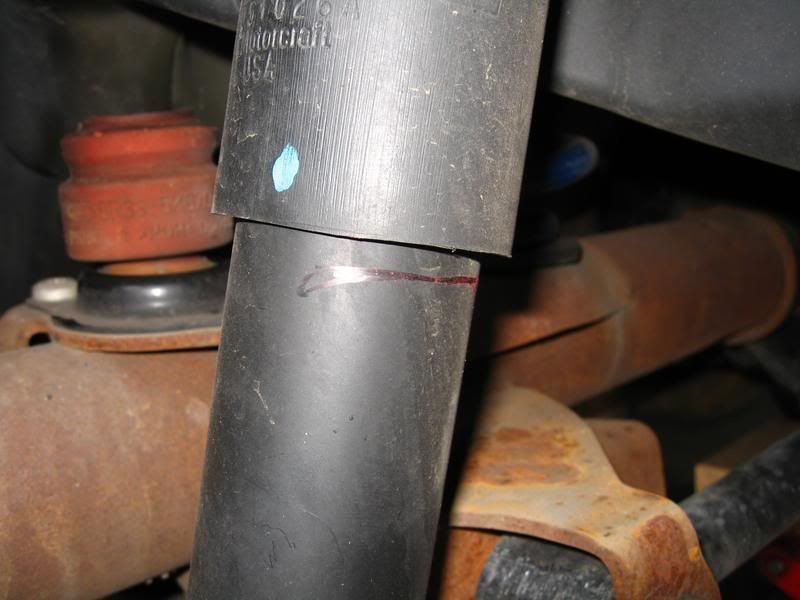
Loosen the lug nuts on the rear wheels. Jack up the rear of the car and support it with jack stands. Remove both rear wheels.
Place floor jack under the rear axle housing and jack up the rear until the reference marks you made on the shock line up as if it were on the ground.
This procedure replicates the car in static, level state. Also required to be in this position when torquing all the associated bolts.
Starting with the Drivers side, remove the Parking Brake retaining clip. (Make sure the Parking Brake is disengaged)
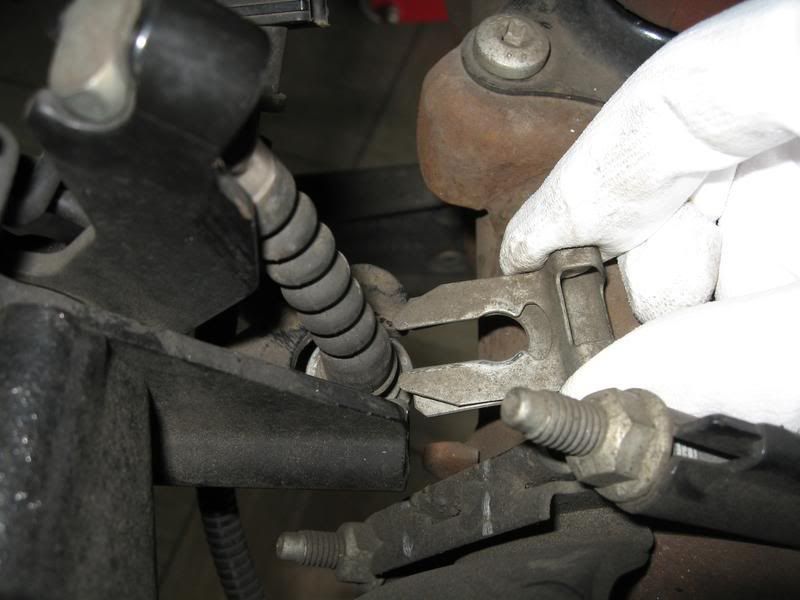
Unhook the cable end and route it out of the factory LCA.
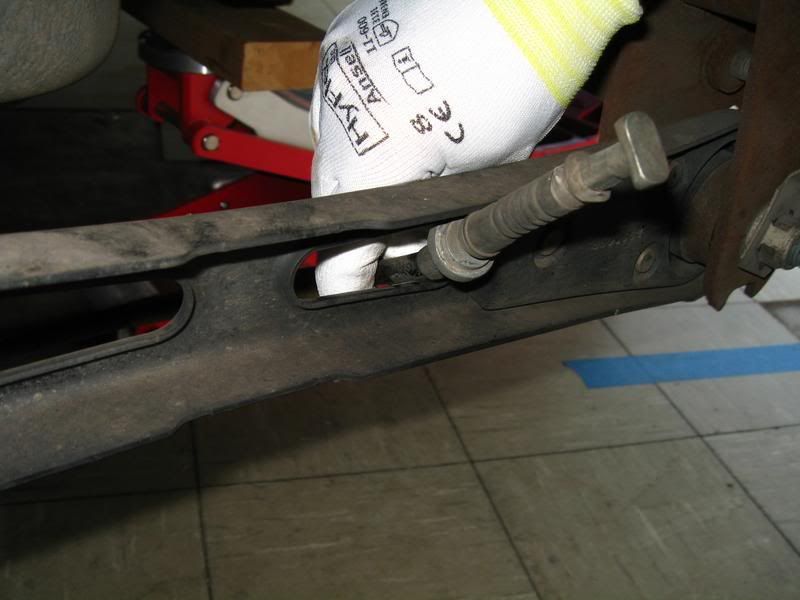
Reference pic of the factory LCA.
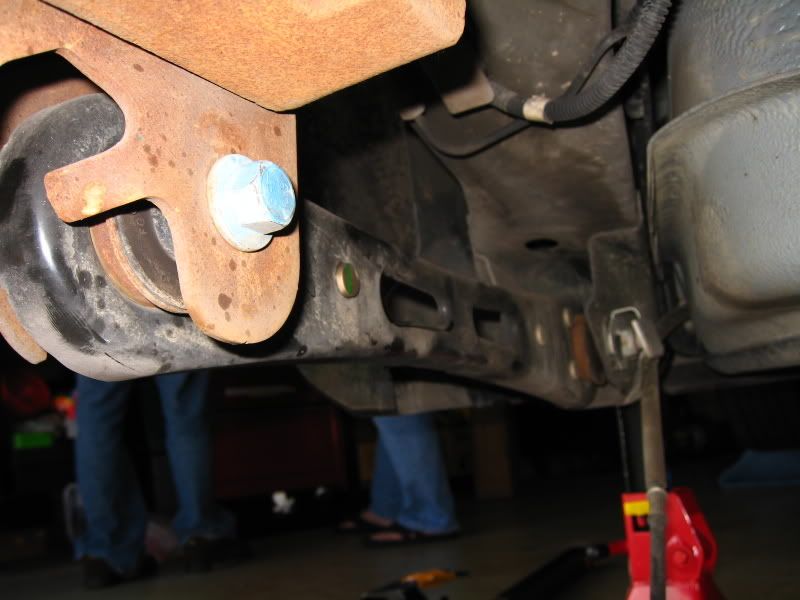
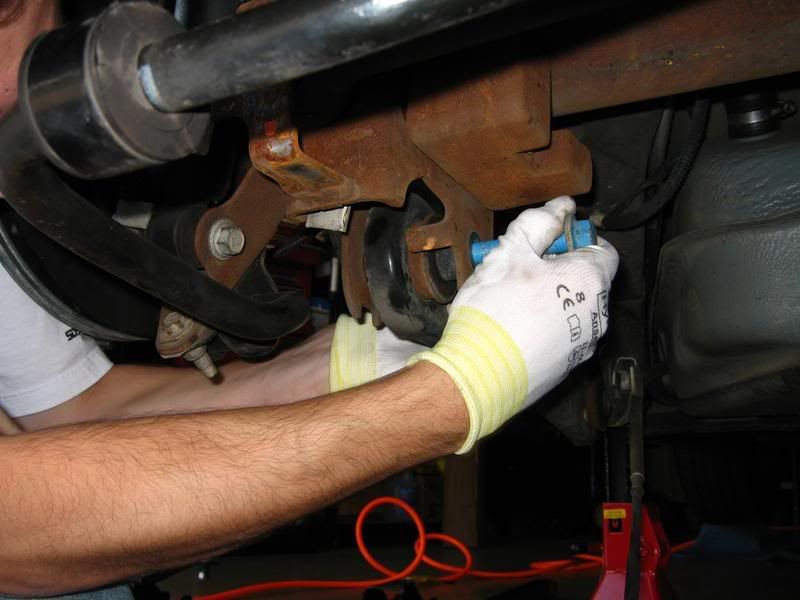
Starting at the forward LCA mounting bolt, break loose and remove.
Note: Clip nut stays attached to the frame, only the bolts gets removed.
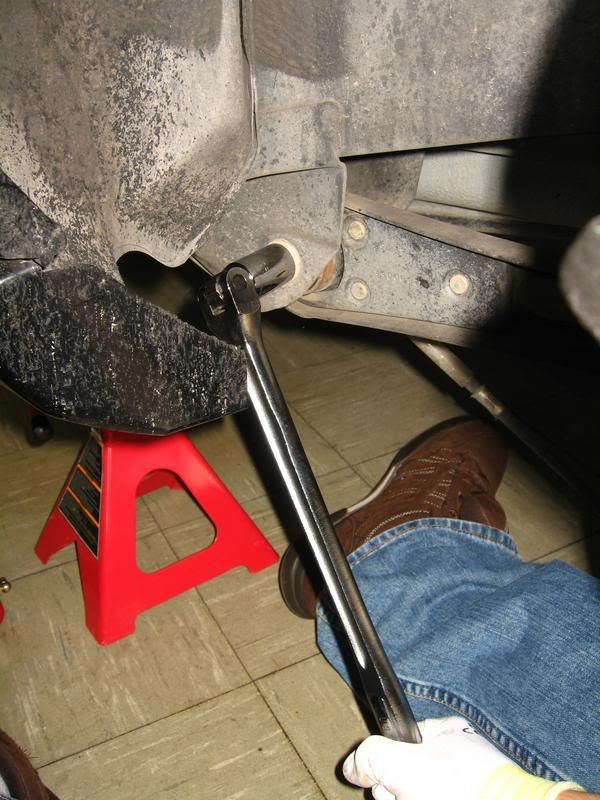
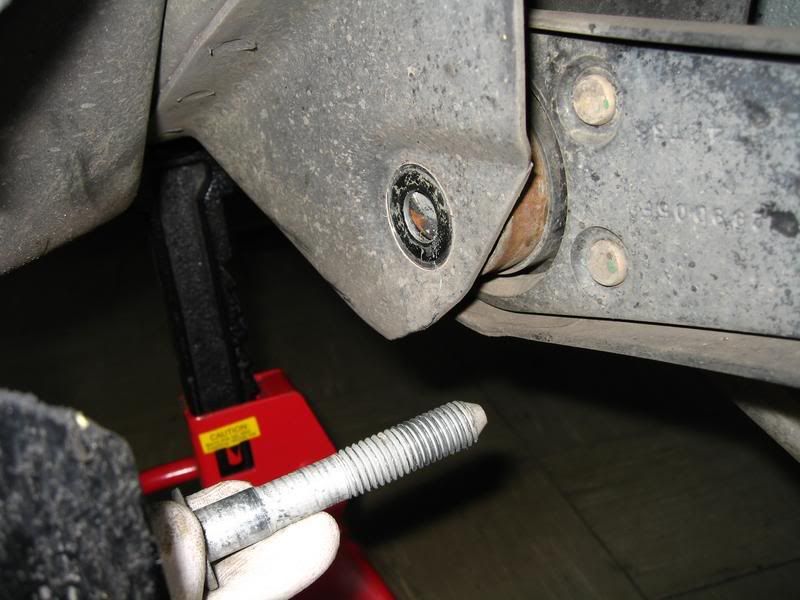
Break loose and remove the rear LCA mounting bolt. Remove LCA from the car and set aside.
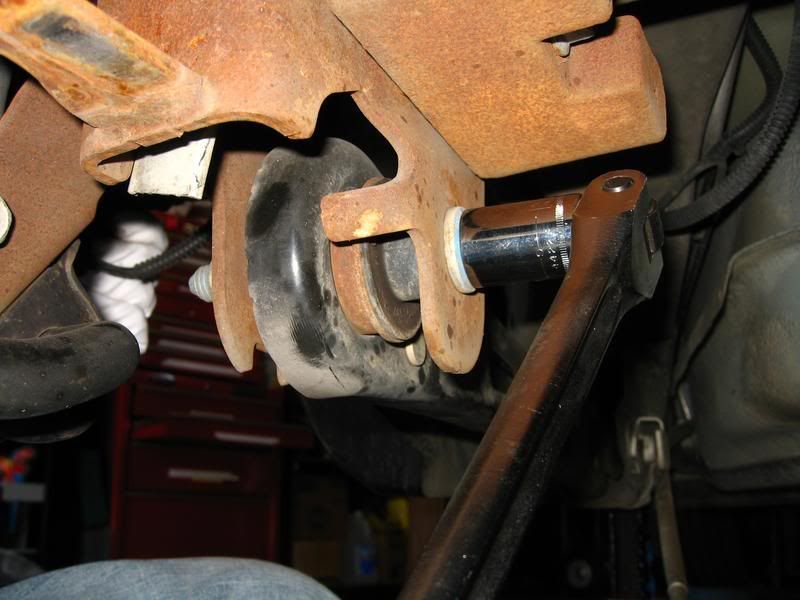
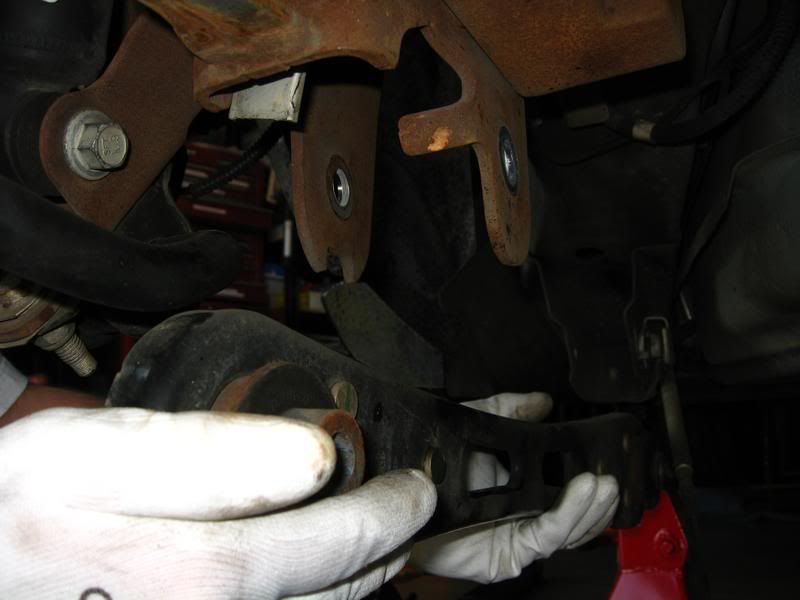
Note: For those just swapping out the LCAs, skip the Relo-Bracket install below.
Pop the plastic cover off the Panhard Bar Drivers side mounting bolt.
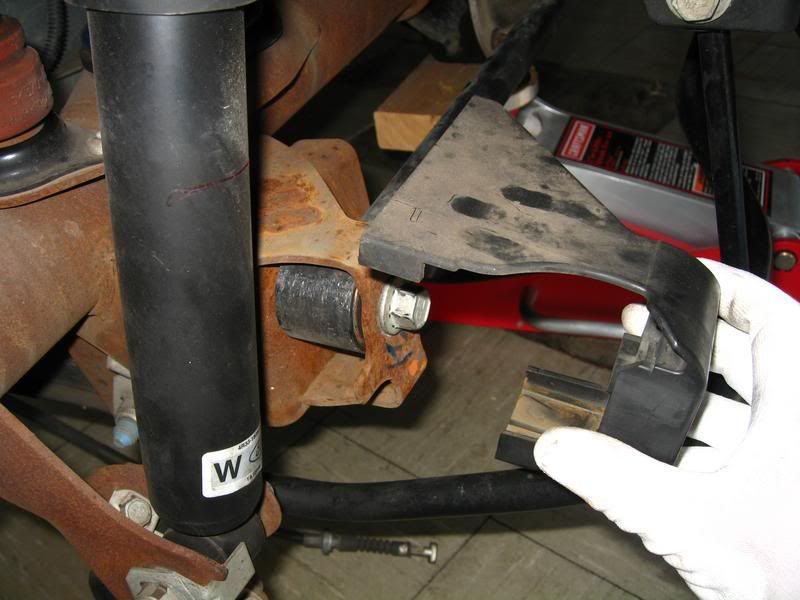
Remove Panhard Bar mounting bolt.
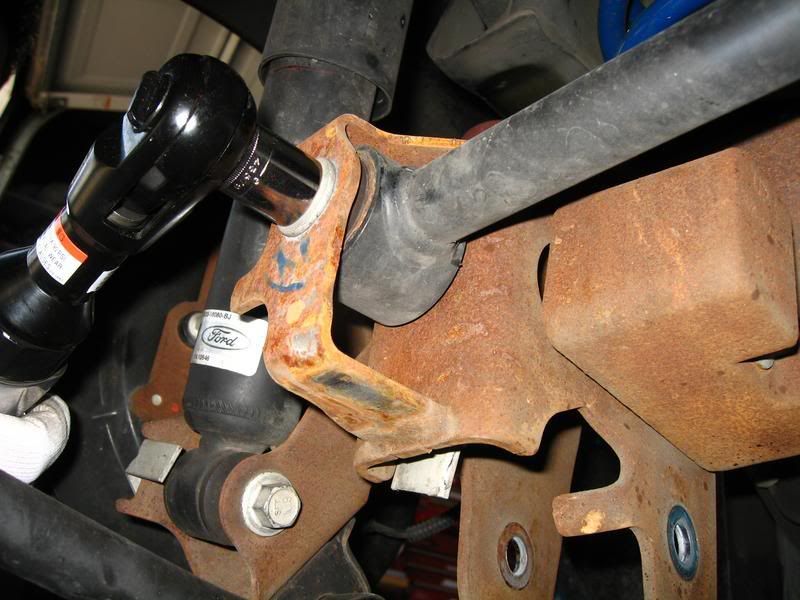
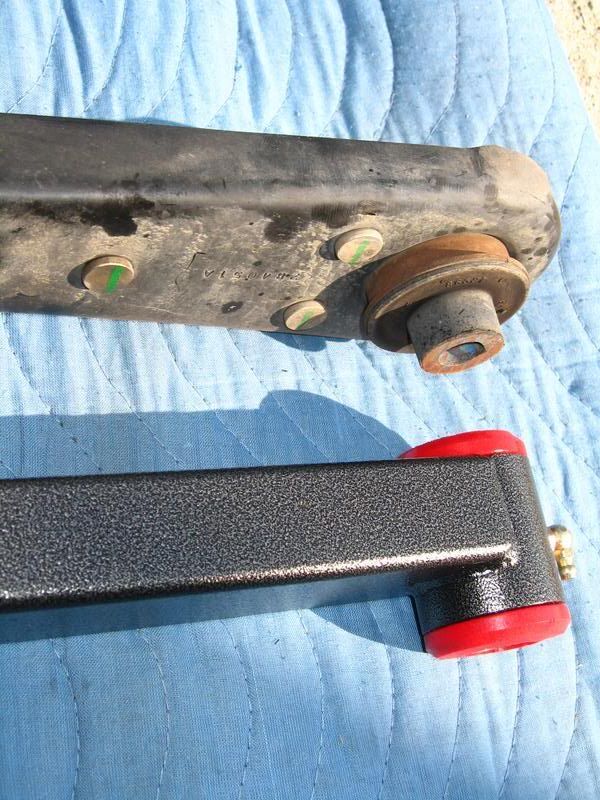
Side-by-Side comparision
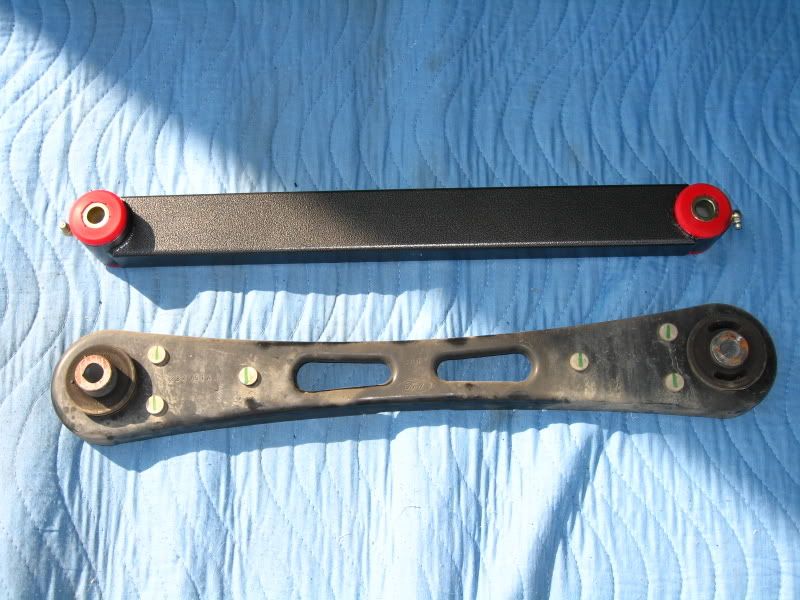
Notice the rear offset of the rear section of the LCA
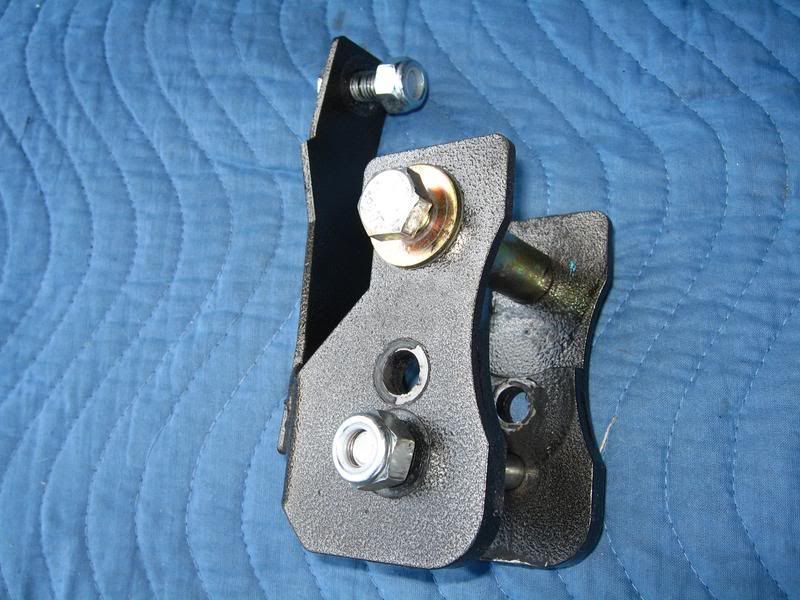
Relo-Bracket
Position Relo-Bracket into place on the rear axle.
Note: Use a rubber mallet if necessary to position the bracket.
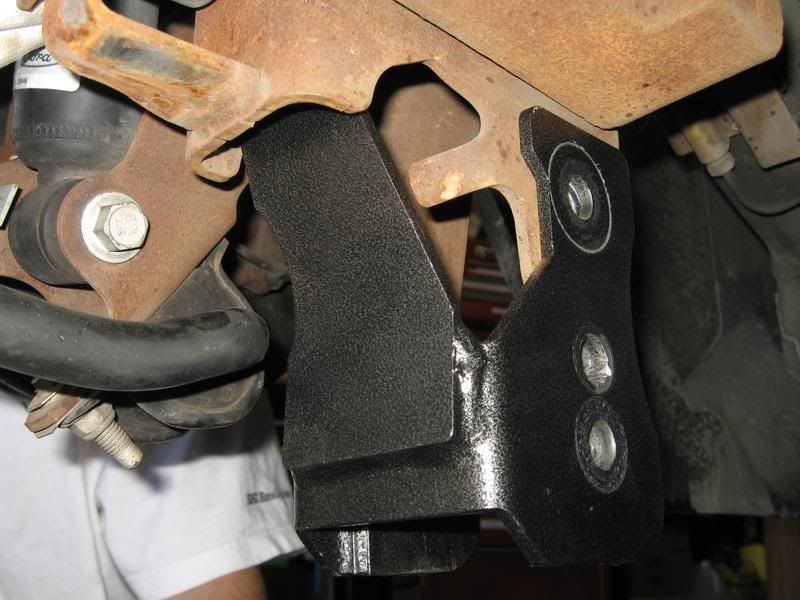
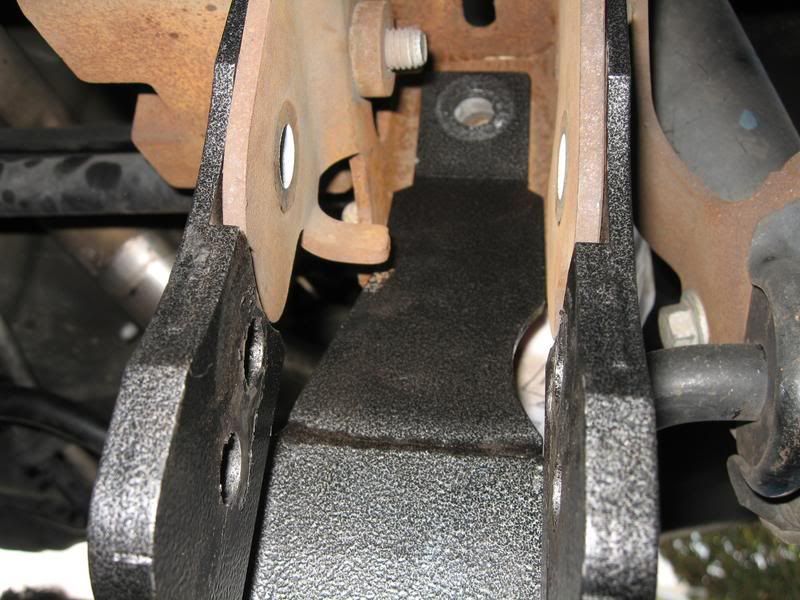
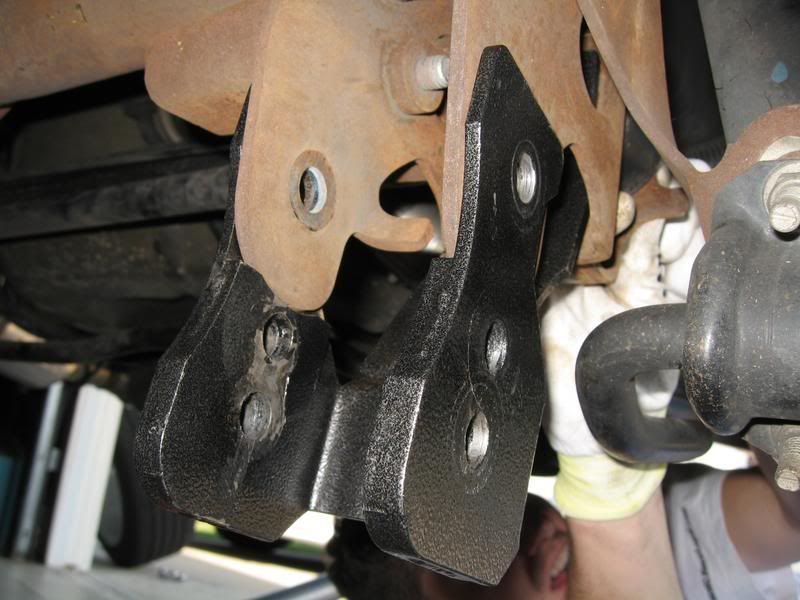
Install the 2 mounting bolts through the Relo-Bracket, but do not tighten until both bolts are in.
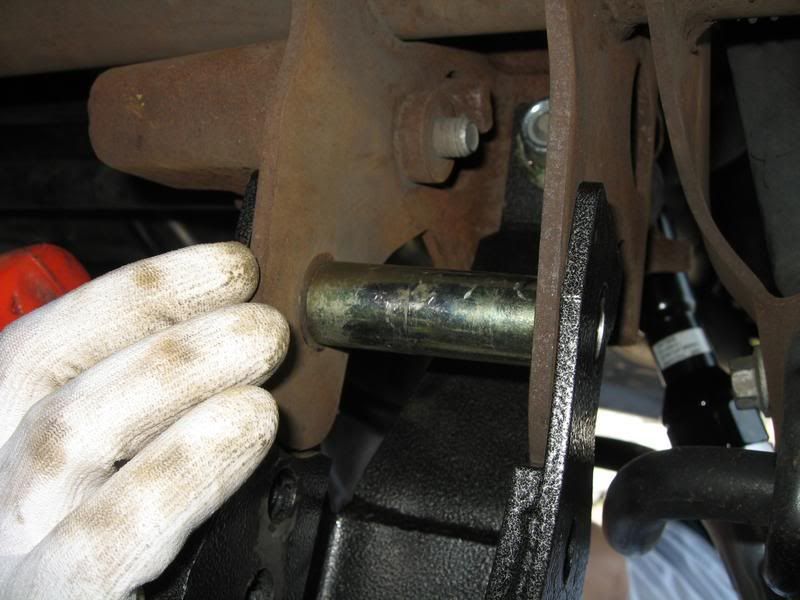
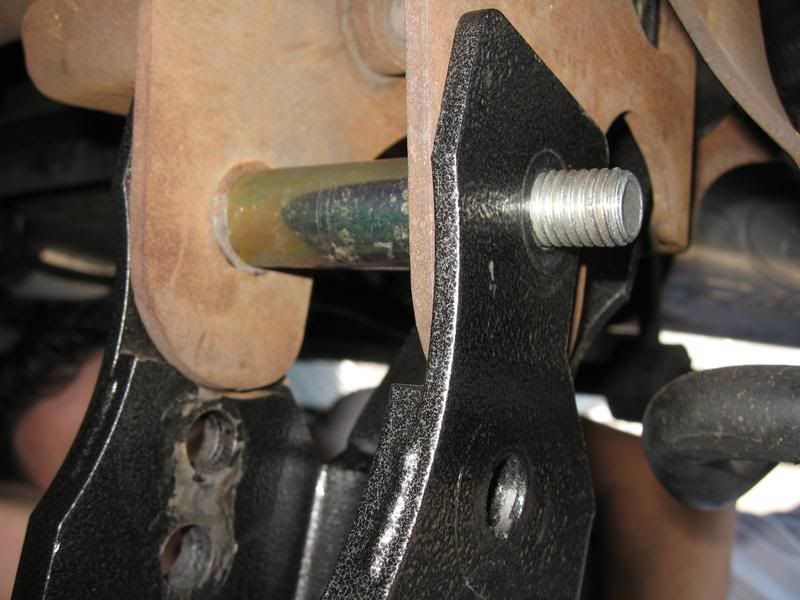
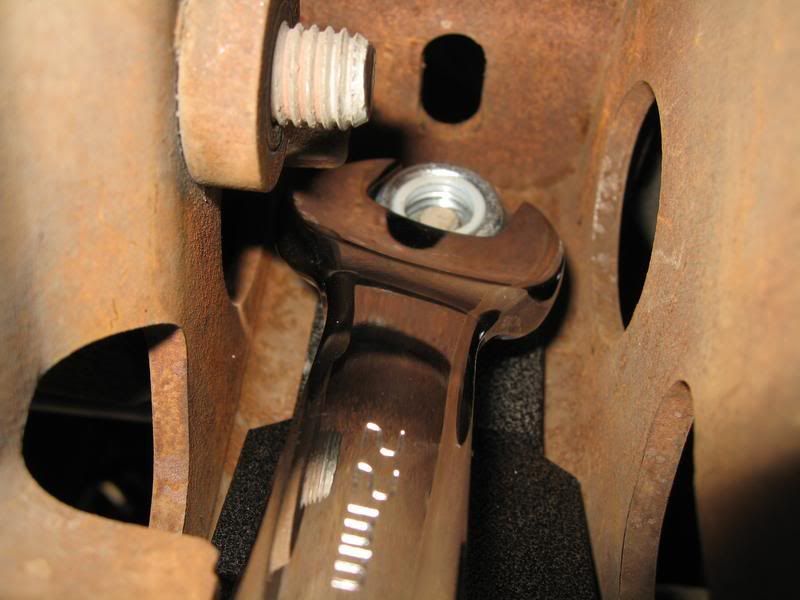
Grease both ends of LCA at this time (if equipped). Only 1 to 2 pumps are necessary, until a little squeeze out can be seen out from the bushing.
Use the excess grease and rub it over the external bushing surface to make installation easier.
Note: Orientate the grease fittings for easiest access for future lubing while on the vehicle.
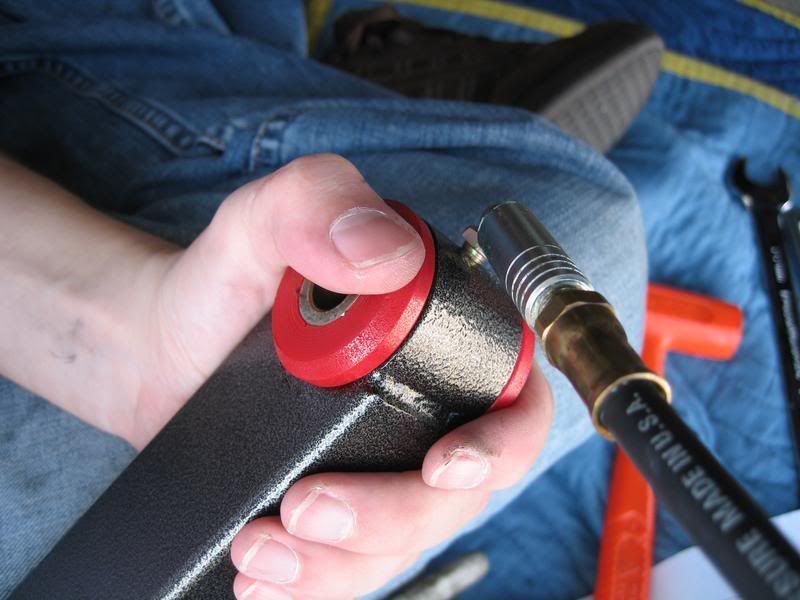
Be sure to orientate the LCA so the narrow end is forward and the offset in the rear is pointing inward (just like the factory LCA).
Install forward mounting bolt, but do not tighten.
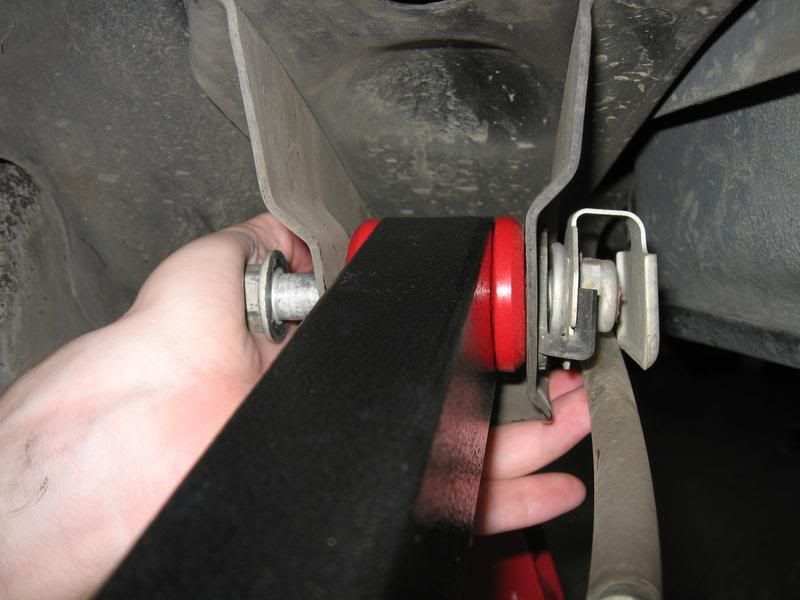
Swing up the rear of the LCA into the Relo-Bracket. If it doesn't align with the mounting hole, utilize a rubber mallet. If it's really stuck, use a floor jack (if you have an extra one).
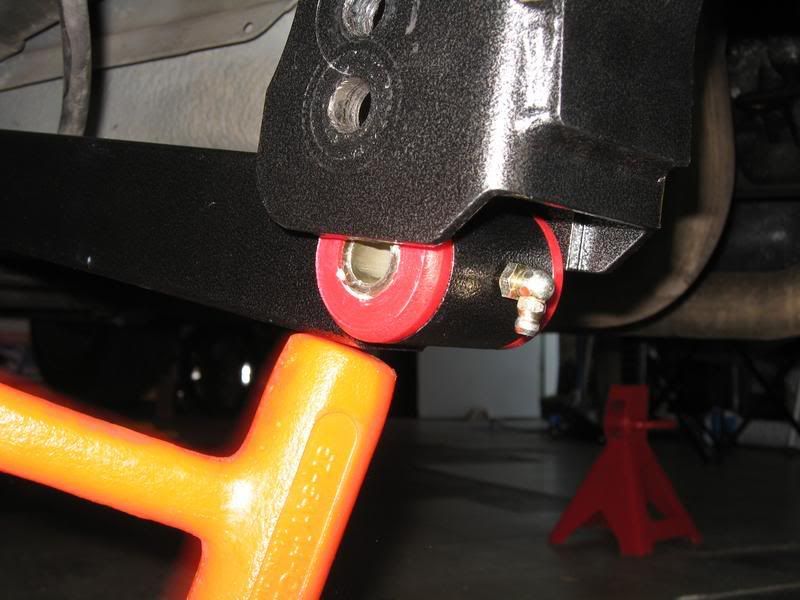
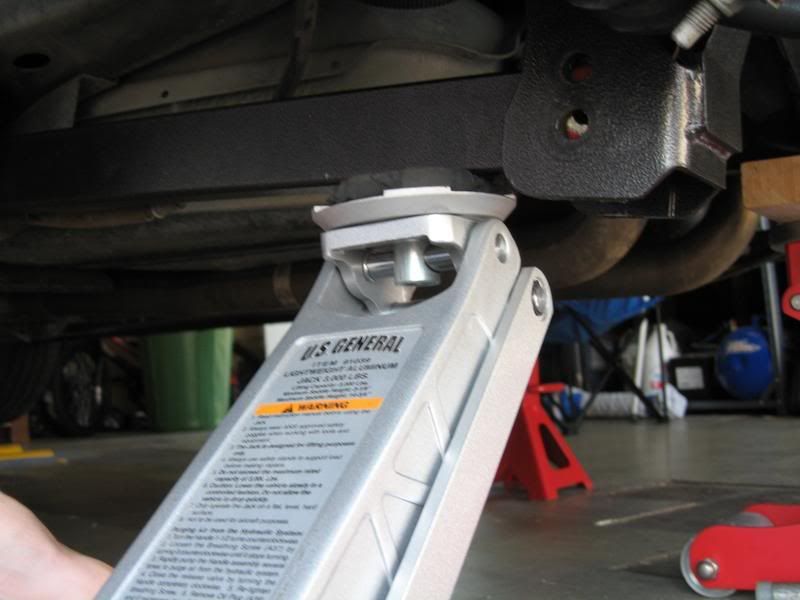
Note on which hole to use; If at stock ride height or up to an inch drop (like the Steeda Ultralites), use the TOP hole. If you have more of an aggressive drop, you may want to consider using the LOWER hole.
Install rear mounting bolt through LCA and Relo-Bracket and tighten.
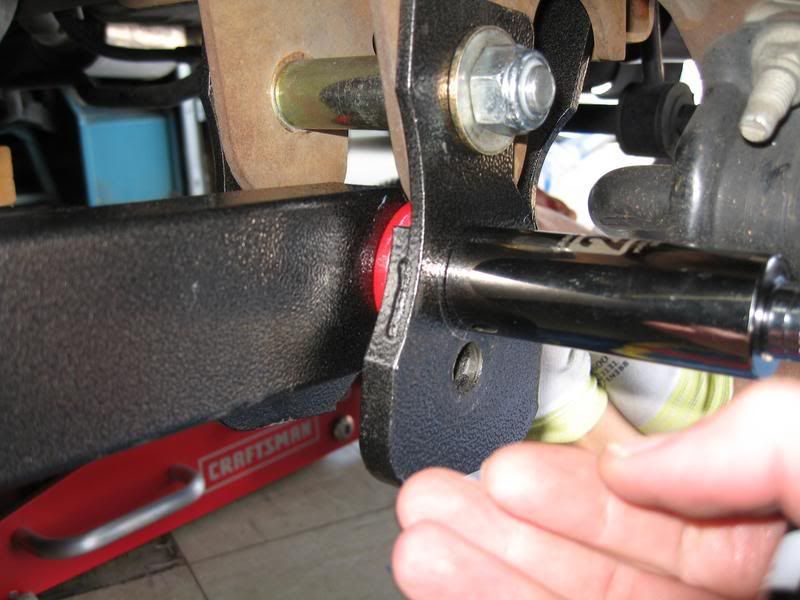
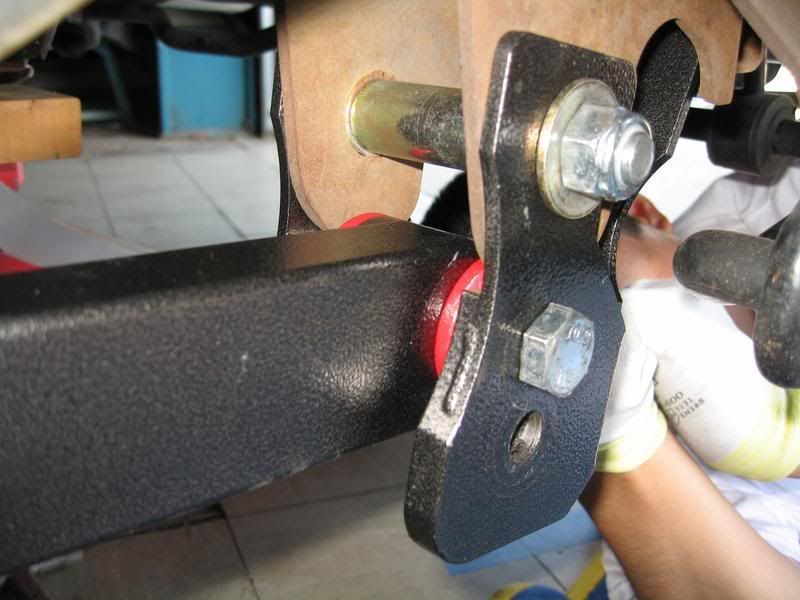
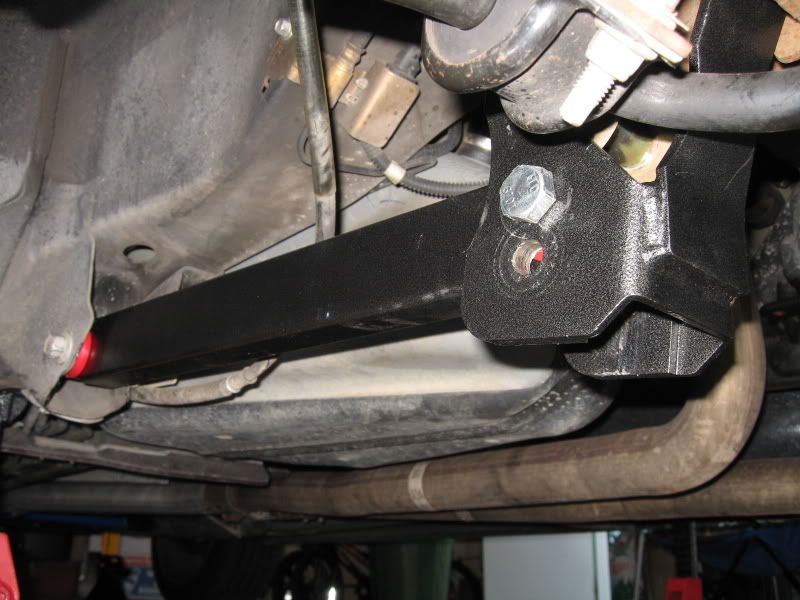
Torque all bolts (starting with the Relo-Bracket) to 130 lb-ft.
Note: Make sure the rear shock reference mark is at the correct position.
Re-install Panhard Bar bolt cover.
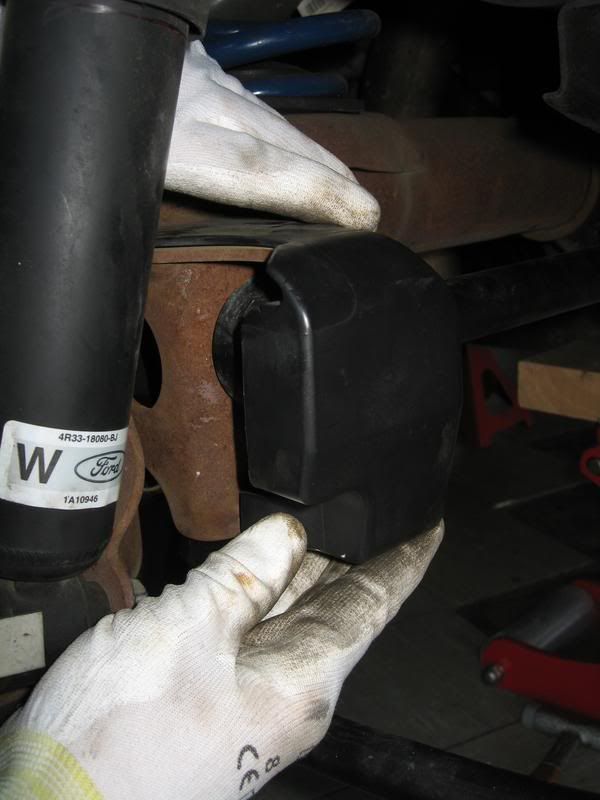
Re-attach Parking Brake cable and retaining clip. Tie wrap cable to side of LCA.
Note: If cable end is slacked after installation, just cycle the Parking Brake handle and it'll tighten up.
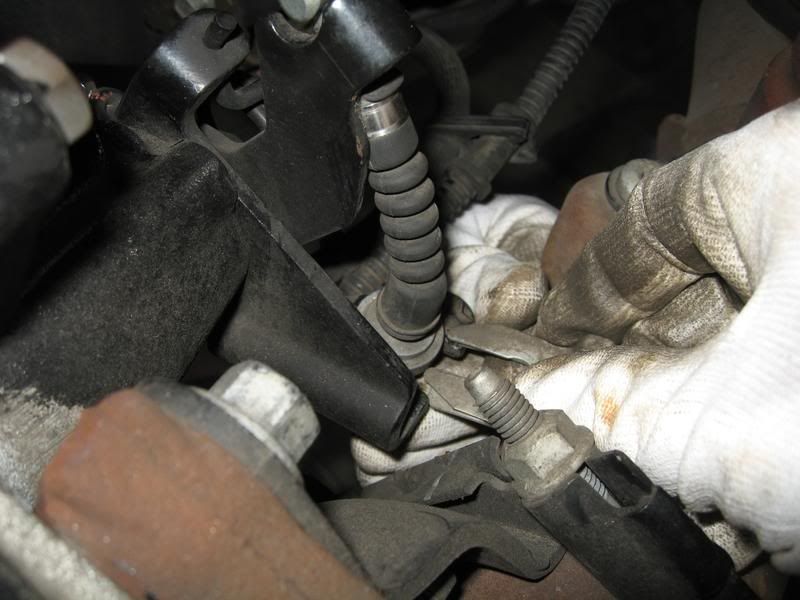
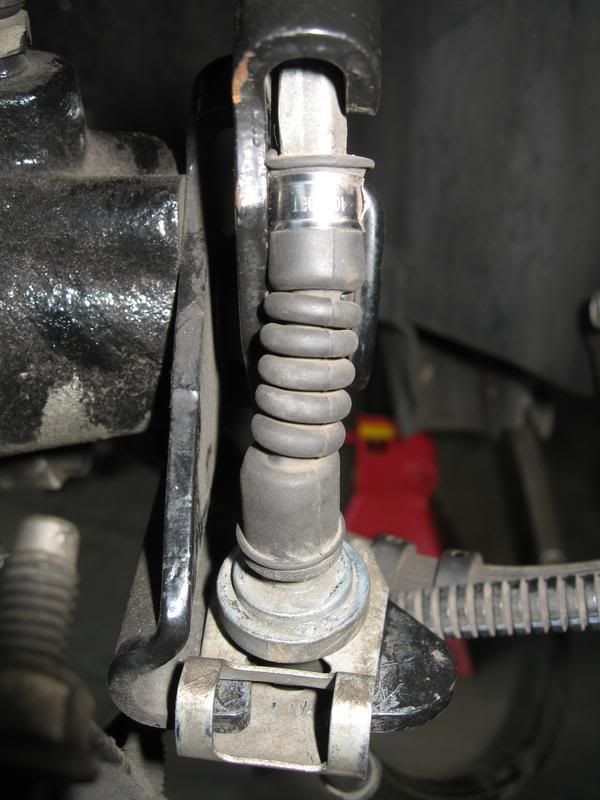
Repeat for Passenger side.
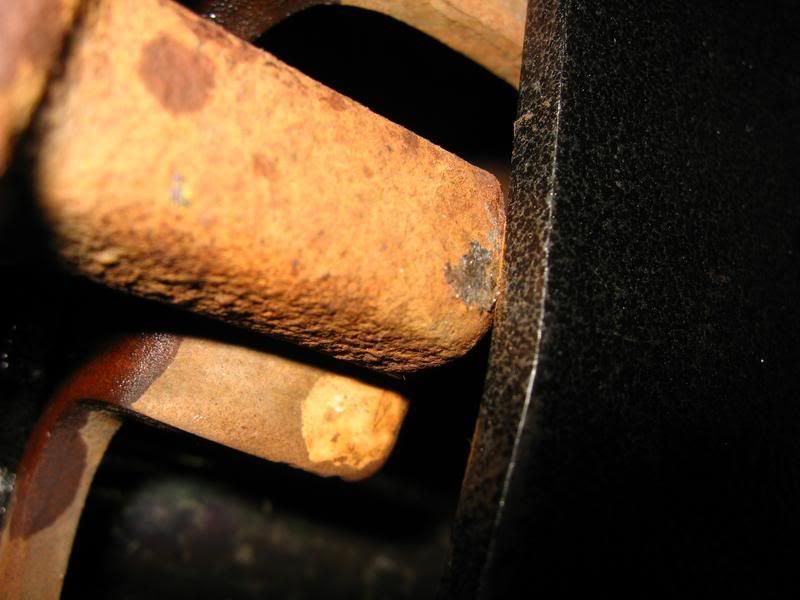
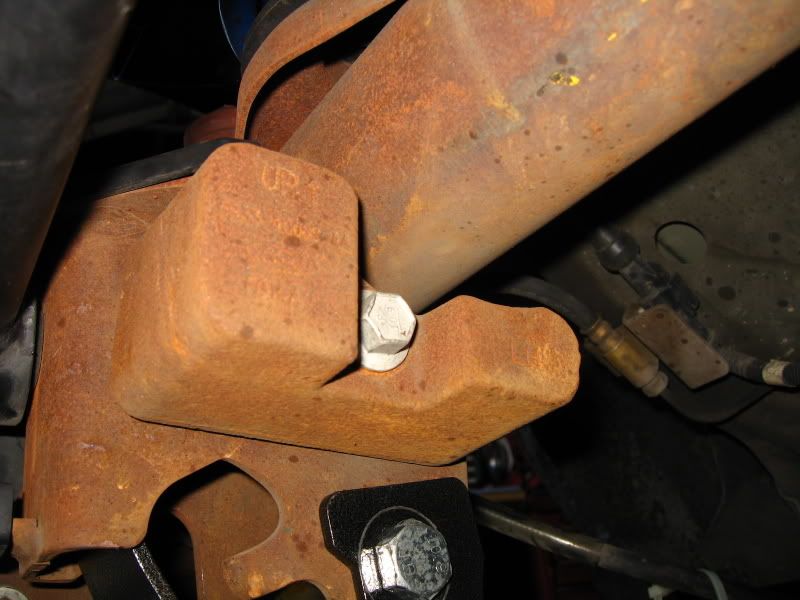
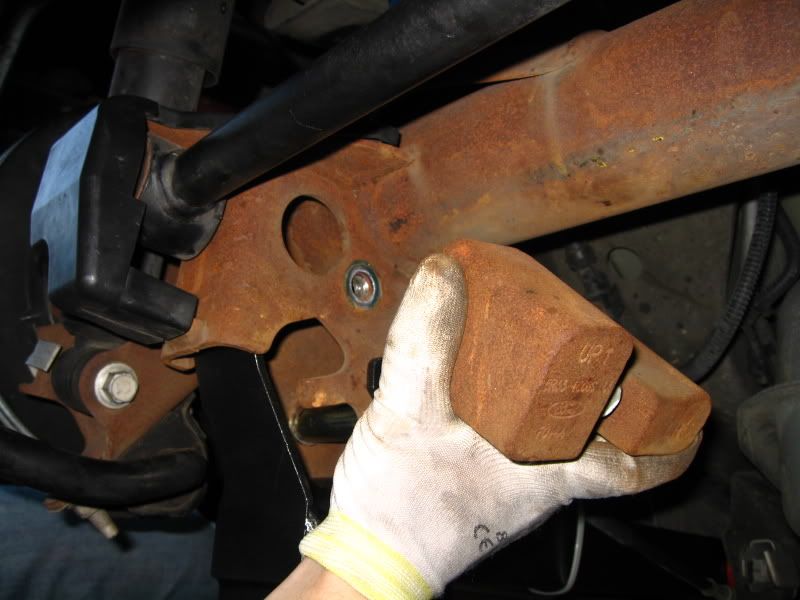
Note: Some S197 builds have what appears to be a NVH metal block attached to the rear axle. Although not a problem on the Drivers side, it was an issue on the Passengers side. It would not allow the Relo-Bracket to sit flush up against the axle mounting location (see pic below).
The decision was made to completely remove the blocks (both sides) to allow the installation of the Relo-Bracket. After an extended test drive, no NVH from the rear was detected.
(Drivers side)
After both LCAs are installed, re-install wheels and lower vehicle.
Installation complete!
Install Time: 2 Hours
Tools Required: Basic Metric tools, large wrenches (up to 22mm), torque wrench (up to 130 lb-ft)
This install was performed on my buddy's car, Leo06GT.
See BMRs website for info as to what functions the LCA and Relo-Brackets serve.
Tip by RUgoinUP
Note: Be sure to do one LCA side at a time. Otherwise the LCA's may not reach the relocation axle bracket upon re-installation.
If you already removed both LCA's, use a jack near the front of the axle housing (pumpkin) by the pinion flange, which will bring it close enough to work.
Procedure:
With the car on level ground, mark the rear shock relative to the protective outer sleeve.
Loosen the lug nuts on the rear wheels. Jack up the rear of the car and support it with jack stands. Remove both rear wheels.
Place floor jack under the rear axle housing and jack up the rear until the reference marks you made on the shock line up as if it were on the ground.
This procedure replicates the car in static, level state. Also required to be in this position when torquing all the associated bolts.
Starting with the Drivers side, remove the Parking Brake retaining clip. (Make sure the Parking Brake is disengaged)
Unhook the cable end and route it out of the factory LCA.
Reference pic of the factory LCA.
Starting at the forward LCA mounting bolt, break loose and remove.
Note: Clip nut stays attached to the frame, only the bolts gets removed.
Break loose and remove the rear LCA mounting bolt. Remove LCA from the car and set aside.
Note: For those just swapping out the LCAs, skip the Relo-Bracket install below.
Pop the plastic cover off the Panhard Bar Drivers side mounting bolt.
Remove Panhard Bar mounting bolt.
Side-by-Side comparision
Notice the rear offset of the rear section of the LCA
Relo-Bracket
Position Relo-Bracket into place on the rear axle.
Note: Use a rubber mallet if necessary to position the bracket.
Install the 2 mounting bolts through the Relo-Bracket, but do not tighten until both bolts are in.
Grease both ends of LCA at this time (if equipped). Only 1 to 2 pumps are necessary, until a little squeeze out can be seen out from the bushing.
Use the excess grease and rub it over the external bushing surface to make installation easier.
Note: Orientate the grease fittings for easiest access for future lubing while on the vehicle.
Be sure to orientate the LCA so the narrow end is forward and the offset in the rear is pointing inward (just like the factory LCA).
Install forward mounting bolt, but do not tighten.
Swing up the rear of the LCA into the Relo-Bracket. If it doesn't align with the mounting hole, utilize a rubber mallet. If it's really stuck, use a floor jack (if you have an extra one).
Note on which hole to use; If at stock ride height or up to an inch drop (like the Steeda Ultralites), use the TOP hole. If you have more of an aggressive drop, you may want to consider using the LOWER hole.
Install rear mounting bolt through LCA and Relo-Bracket and tighten.
Torque all bolts (starting with the Relo-Bracket) to 130 lb-ft.
Note: Make sure the rear shock reference mark is at the correct position.
Re-install Panhard Bar bolt cover.
Re-attach Parking Brake cable and retaining clip. Tie wrap cable to side of LCA.
Note: If cable end is slacked after installation, just cycle the Parking Brake handle and it'll tighten up.
Repeat for Passenger side.
Note: Some S197 builds have what appears to be a NVH metal block attached to the rear axle. Although not a problem on the Drivers side, it was an issue on the Passengers side. It would not allow the Relo-Bracket to sit flush up against the axle mounting location (see pic below).
The decision was made to completely remove the blocks (both sides) to allow the installation of the Relo-Bracket. After an extended test drive, no NVH from the rear was detected.
(Drivers side)
After both LCAs are installed, re-install wheels and lower vehicle.
Installation complete!


4th Gear Member
Joined: May 2007
Posts: 1,081
From: Richmond, VA
RE: BMR Lower Control Arm (LCA) and Relocation Bracket Installation (w/pics)
LOL, I am planning on doing these this weekend and doing a write-up on it.
I am installing the adjustable LCAs, reloaction brackets, adjustable panhard bar, panhard brace, CHE k-member brace w/ torque limiters, and BDI rotors (assumingI get the rotors and kmember on time).
Now I have pics to help me through my install, Thanks!!
I am installing the adjustable LCAs, reloaction brackets, adjustable panhard bar, panhard brace, CHE k-member brace w/ torque limiters, and BDI rotors (assumingI get the rotors and kmember on time).
Now I have pics to help me through my install, Thanks!!



5th Gear Member
Joined: Jan 2006
Posts: 2,398
From: Florida
RE: BMR Lower Control Arm (LCA) and Relocation Bracket Installation (w/pics)
I was looking through the pictures and I'm like.. "What's that useless hunk of metal in your hand?" I don't think I have that on my car, never noticed it before.

