


Electronics Package


Thread Starter
1st Gear Member
Joined: Dec 2009
Posts: 54
From: Florida
 Electronics Package
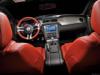
It's the Shaker 500 system with the nav system.
The cd player which normally would hold 6 cd's, this system does not, this system it will hold only one cd. The only way to play more then one cd is to use Juke Box... right???
TX
JE
The cd player which normally would hold 6 cd's, this system does not, this system it will hold only one cd. The only way to play more then one cd is to use Juke Box... right???
TX
JE
2nd Gear Member
Joined: Oct 2009
Posts: 337
From: Massachusetts

There are tons of options for listening to music with the electronics package:
1. Single CD (1 album)
2. Single MP3 CD (about 6 albums)
3. Single MP3 DVD (about 20 albums)
4. Jukebox (about 40 albums)
5. USB MP3 player, like iPod or Zen (up to 200 albums)
6. USB Flash hard drive, like a 350GB Passport (up to 500 albums)
Throw in Sirius and the options are endless.....
Of course, nothing sounds as good as the roar from the twin pipes at full throttle!
1. Single CD (1 album)
2. Single MP3 CD (about 6 albums)
3. Single MP3 DVD (about 20 albums)
4. Jukebox (about 40 albums)
5. USB MP3 player, like iPod or Zen (up to 200 albums)
6. USB Flash hard drive, like a 350GB Passport (up to 500 albums)
Throw in Sirius and the options are endless.....
Of course, nothing sounds as good as the roar from the twin pipes at full throttle!
Thread Starter
1st Gear Member
Joined: Dec 2009
Posts: 54
From: Florida
There are tons of options for listening to music with the electronics package:
1. Single CD (1 album)
2. Single MP3 CD (about 6 albums)
3. Single MP3 DVD (about 20 albums)
4. Jukebox (about 40 albums)
5. USB MP3 player, like iPod or Zen (up to 200 albums)
6. USB Flash hard drive, like a 350GB Passport (up to 500 albums)
Throw in Sirius and the options are endless.....
Of course, nothing sounds as good as the roar from the twin pipes at full throttle!
1. Single CD (1 album)
2. Single MP3 CD (about 6 albums)
3. Single MP3 DVD (about 20 albums)
4. Jukebox (about 40 albums)
5. USB MP3 player, like iPod or Zen (up to 200 albums)
6. USB Flash hard drive, like a 350GB Passport (up to 500 albums)
Throw in Sirius and the options are endless.....
Of course, nothing sounds as good as the roar from the twin pipes at full throttle!
Question, iPod music is now MPEG-4. what do I use to convert them to MP 3's? I use a mac system.

2nd Gear Member
Joined: Nov 2009
Posts: 386
From: CA
iTunes can do this for you.
First set your import settings from AAC to MP3.
With this setting complete highlight the track that you want to convert to MP3.
Using the Advanced Menu select "Create MP3 Version"
Should be the trick
First set your import settings from AAC to MP3.
With this setting complete highlight the track that you want to convert to MP3.
Using the Advanced Menu select "Create MP3 Version"
Should be the trick

3rd Gear Member
Joined: Sep 2009
Posts: 599
From: CA
Hey, cool beans. I didnt know that. Thanks for this!

2nd Gear Member
Joined: Nov 2009
Posts: 386
From: CA
Given that iTunes is now DRM free you can do this on purchased tracks so long as they are not protected. To verify if the song is DRM free right click on the song and choose "get info" If the file is "Protected" then you either need to upgrade it or burn it to CD to remove the DRM. If the file is "Purchased" then it can easily be converted to MP3 using the method above.
Best of luck!
Best of luck!

Thread
Thread Starter
Forum
Replies
Last Post
mungodrums
S550 2015-2023 Mustang
10
Sep 28, 2015 10:54 PM
mungodrums
Suspension
0
Sep 24, 2015 10:12 PM
2010, 2011, 401a, convertible, electronic, electronics, explained, ford, fords, gas, gt, mustang, options, package, security
