Classic Mustangs (Tech) Technical discussions about the Mustangs of yester-year.

Photoshop help!! i need your skillz

Thread Tools
 
Search this Thread
 
Old Nov 1, 2009 | 04:38 PM
  #1  
darkngtz's Avatar
darkngtz
Thread Starter
2nd Gear Member
 
Joined: Feb 2008
Posts: 199
From: arizona
Default Photoshop help!! i need your skillz

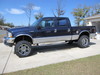
i tried doin this but i suck at it, could you guys please take this picture and paint it or whatever, i wanna see what the car would look like with a gunmetal-grey body, black stripes and the small pinstripe lines that follow the black stripes to be a dark red.....could you please generate this image for me, i wanna know what it would look like. thnx!!!


Old Nov 1, 2009 | 05:01 PM
  #2  
darkngtz's Avatar
darkngtz
Thread Starter
2nd Gear Member
 
Joined: Feb 2008
Posts: 199
From: arizona
Default

o wow...didnt even know that existed....sweet thanks!!!
Old Nov 1, 2009 | 08:05 PM
  #3  
jcoby's Avatar
jcoby
2nd Gear Member
 
Joined: Jan 2009
Posts: 307
From: NC
Default

here's two quick versions. the first one uses the original red, and the second uses a darker cherry red.
Attached Thumbnails Photoshop help!! i need your skillz-mustang.jpg   Photoshop help!! i need your skillz-mustang2.jpg  
Old Nov 1, 2009 | 09:19 PM
  #4  
Piraya33's Avatar
Piraya33
2nd Gear Member
 
Joined: Jul 2008
Posts: 230
From:
Default

Originally Posted by jcoby
here's two quick versions. the first one uses the original red, and the second uses a darker cherry red.
That's awesome! What program did you use to do that? Thanks!
Old Nov 1, 2009 | 10:03 PM
  #5  
1slow67's Avatar
1slow67
ROTM Moderator
 
Joined: May 2007
Posts: 8,157
From: AL
Default

I'm surprised this thread hasn't been deleted yet. He made one in the Chop Shop section and got the chops taken care of.
Old Nov 2, 2009 | 04:20 AM
  #6  
kalli's Avatar
kalli
6th Gear Member
 
Joined: Oct 2006
Posts: 6,417
From: Cork, Ireland
Default

Originally Posted by Piraya33
That's awesome! What program did you use to do that? Thanks!
adobe photoshop
Old Nov 2, 2009 | 07:13 AM
  #7  
jcoby's Avatar
jcoby
2nd Gear Member
 
Joined: Jan 2009
Posts: 307
From: NC
Default

yeah, photoshop cs3.

this one was pretty easy - desaturate the reds and magentas, invert the stripes, add a gradient to the stripes, and draw the red in by hand. It's not great - the grey could be better, but it keeps me in practice
Old Nov 2, 2009 | 09:17 AM
  #8  
kalli's Avatar
kalli
6th Gear Member
 
Joined: Oct 2006
Posts: 6,417
From: Cork, Ireland
Default

the good thing is that the cars original color is uniform. btw you can actually select colour range and just paint over it ...

that's even cooler then choiosing with the color picker and changine hue ... etc

http://www.photoshoproadmap.com/Phot...n-your-photos/
Old Nov 2, 2009 | 10:16 AM
  #9  
jcoby's Avatar
jcoby
2nd Gear Member
 
Joined: Jan 2009
Posts: 307
From: NC
Default

oh, cool, i didn't know that brush existed

I mostly use photoshop for web mockups. Using it to touch up photos is a little foreign to me.
Old Nov 2, 2009 | 10:28 AM
  #10  
2+2GT's Avatar
2+2GT
6th Gear Member
 
Joined: May 2009
Posts: 5,232
From: PA
Default

Photoshop is real handy for this stuff.

In reality, the scoops on this car are painted black:


This car is yellow, not silver-blue:


This car is gray, not Tahoe Turquise:


And this car is green, not blue:


All times are GMT -5. The time now is 12:56 AM.